
Community
Roleplay on Wolf Territories
Knights and castles, pirates and harbours, wild west towns and mystic isles – worlds built by residents, waiting for characters to step into them. Pick a region below and you are there in one click.
Roleplay regions
Every region its owner has listed under Roleplay. Visit in your browser opens WolfStorm, our web viewer – nothing to download. Open in your viewer works in WolfViewer, Firestorm and other viewers once Wolf Territories is added.
Made by residents
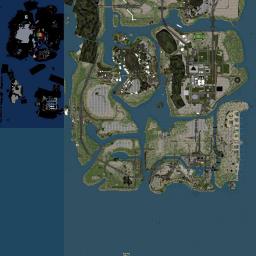

Raels World
By Rael Gabriel · 1024 m region
Freebee Store (Sci-Fi, Fantasy, Furniture, Veichles, Musical instruments, Homes, Gaming)
From the Wolf Territories team

List your roleplay region
It is free and takes a minute. Your region then appears on this page, on the Roleplay boards at our welcome areas and under Roleplay in the map search of WolfViewer and WolfStorm.
- Log in at wolf-grid.com and open your regions.
- Choose your region and find the Region categories card.
- Tick Roleplay (up to three categories in all) and press Save.
The region must be online and not hidden from listings. Roleplay regions get no passing planes or boats, so nothing modern flies over your story.
Wolf tools for roleplay owners
These are off on your region until you switch them on, so your setting stays exactly as you built it.
- Wolf Roleplay and Game Mode – stats, items, pets and combat for players who opt in
- Adventure Studio – make quests and stories for your visitors
- WolfNPC – townsfolk, guards, innkeepers and creatures that live on your land
- Ships – sailing ships, and pirates if you want a fight at sea
- Weather – storms, fog and rain to set the mood
- Nature Sounds – birdsong, wind and water around your builds
Want visitors to find your story? Add it to Wolf Experiences too – that list is shown at the welcome area and in both viewers.